Asus Zenbook UX431 Review

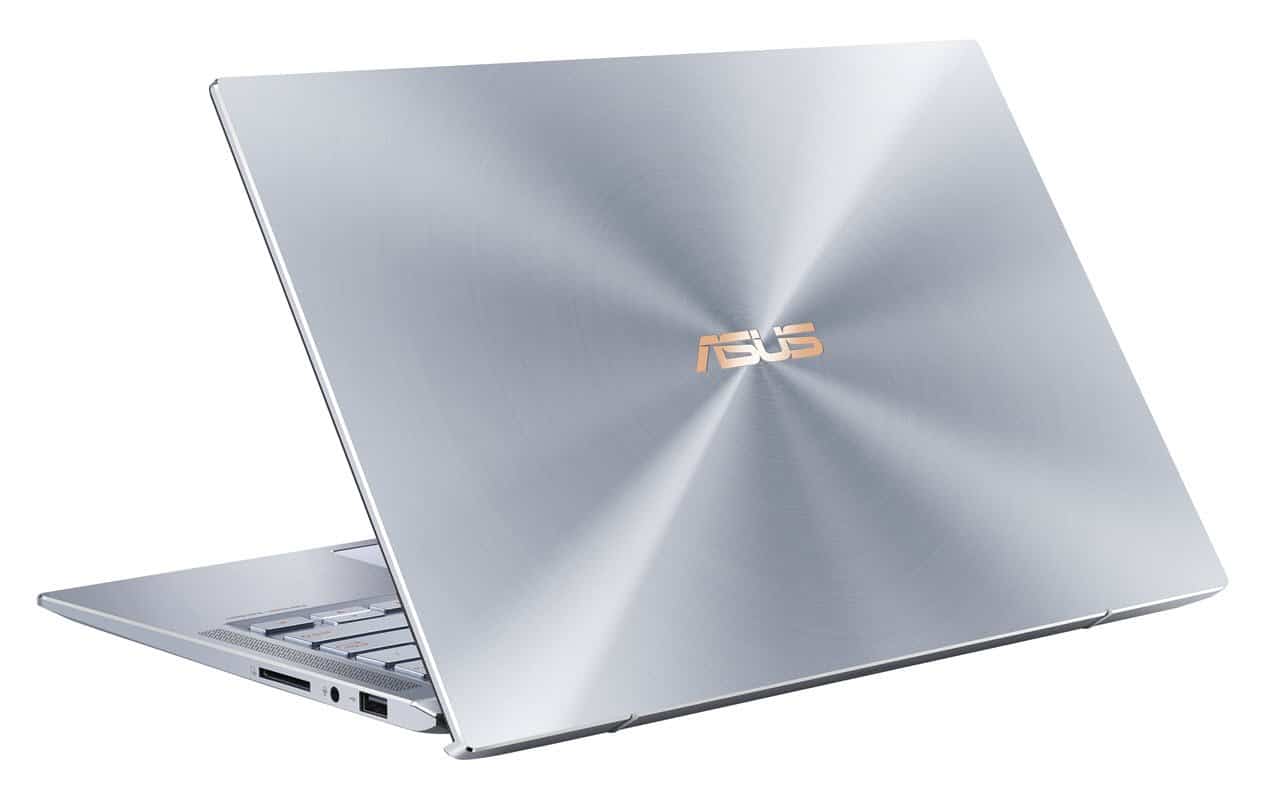
The ASUS Zenbook UX431 is a sleek and compact laptop that is super lightweight, and stylishly designed, yet still packs a punch with high-end components.
First Impressions
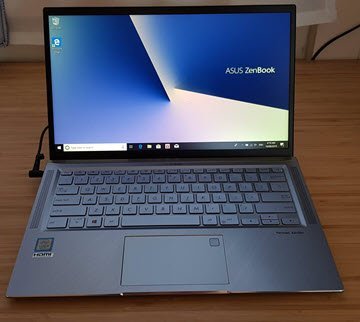
The first thing I noticed about the Asus Zenbook UX431 is the stylish design. It really has a nice modern, sophisticated look. The metallic body has a pleasant ‘tinge’ to it. I think they call it ‘Utopia Blue’. The other thing I noticed straight away is how much screen you get in a very compact body. The bezels around the screen are super-slim – apparently it has an 86% screen-to-body ratio. I don’t know how this compares to other laptops, but in practical use, it means the screen goes almost all the way to the edges.
It All Hinges on This
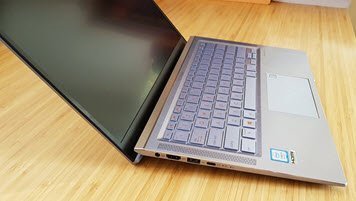
One of the best features of this laptop is also one of the simplest. Are you like me and find that laptop keyboards are too ‘flat’ to type comfortably? Normal keyboards are pitched at an angle, but when most laptops are on a desk, they lie flush and the keyboard is completely flat.
Well, the way ASUS have solved this with the Zenbook 14 is really quite ingenious. The way the screen hinges from the base of the computer makes it sit a little “propped up” at the back, so the base and therefore the keyboard, are naturally angled towards you. Neat! It’s easier to see what I’m talking about in the picture. It makes typing on the keyboard feel much more like a desktop experience.
Using the Zenbook 14
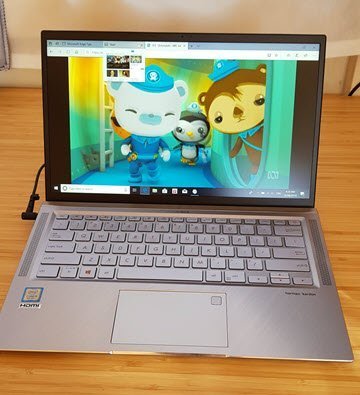
When I first booted up this Zenbook, I needed to finish setting up Windows 10, which all went smoothly. I got the laptop onto our network smoothly and was ready to rock and roll in no time. (Seriously, things are so fast these days with SSD drives!) I did hear the cooling fan quite noticeably at this stage. Since this laptop has high-end components inside, it needs a fan, and I must admit I was a bit concerned by the noise because I didn’t seem to be doing much! Diving deeper though, I realised that since Windows had only just been set up, it was frantically installing updates in the background.
Once that had finished, I put the Zenbook through its paces with some serious work… Just kidding! I turned to iView and tuned into some shows 🙂 I did open as many productivity apps as I could and left them running in the background though 😉 Happily, even streaming HD video and with many other apps open, there was no hint of the cooling fan.
A laptop with good sound?
This is when I got the next major surprise from the Zenbook. It actually has decent sound! Other laptops I’ve used always have the speakers in terrible positions, eg. at the rear, or they’re teeny-tiny and sound terrible! The team at ASUS worked with Harman Kardon on the audio experience, and it shows. There’s two bass and two high frequency speakers, located on either side of the keyboard. So, shock-horror: the speakers actually point towards you! I was really impressed with the sound from this laptop – it’s the first one I’ve used where the sound is actually good enough to not require plugging in headphones or hooking up to external speakers.
Other features
The Zenbook 14 has all the amenities you’d expect from a high-end laptop in 2019. Backlit keyboard, large area trackpad, WiFi, Bluetooth 5.0 (I didn’t realise we were even past 2!), USB 2.0, USB 3.1 and USB-C (at last) plus SD Card reader. It also has HDMI output built in, making it a great little entertainment centre. My one copmplaint would be the slightly ‘old-fashioned’ power jack – it’s one of those cylinder type DC jacks that power just about everything. But many other companies, like Apple and Microsoft, have moved to magnetically-attached power adapters, which are safer and more convenient if your power cable is ever going to be tripped over by one of the kids or pets.
Summary and Specs
Overall, this is a great compact laptop that is as stylish as anything else out there, yet at a very affordable price. The internal components and connectivity mean that it can deal with whatever you want to throw at it. The hinge is a big winner in my books, if you’re going to be typing at a desk for any amount of time (and apparently telepathic text entry isn’t a thing yet…). And, I really liked the entertainment prospects, with the HDMI out and best-laptop-sound-I’ve-heard.
Specs
14 inch FHD display (1920 x 1080)
1.45 kg
15.9 mm thin
Intel Core i5
8 GB RAM
256 or 512 GB PCIE SSD drive
Quad speakers
10.8 hour battery life
RRP $1,498
Available from: Harvey Norman and various online retailers